Best Restaurant Advertising Robot for Premium Dining in India [2026]
A guest arrives early for dinner at a hotel restaurant in Mumbai. While the host confirms their reservation, a photograph of the restaurant’s kokum and ginger cooler catches their eye on BellaBot Pro’s screen. They ask about it when they sit down. A few minutes later, the robot brings their drinks from the bar to a nearby service station, and the server presents them at the table. That is how our restaurant advertising robot – Bellabot Pro– can fit into premium dining. The restaurant uses the screen to draw attention to something worth ordering, and the floor team uses the robot for a recurring service run. Both uses work best when they fit the venue’s pace, layout and style of hospitality.
What Is a Restaurant Advertising Robot?
A restaurant advertising robot combines a guest-facing promotional display with an indoor delivery function. For an owner or food and beverage director, the practical question is whether the same unit can help guests discover the restaurant’s offerings and carry useful loads during service.
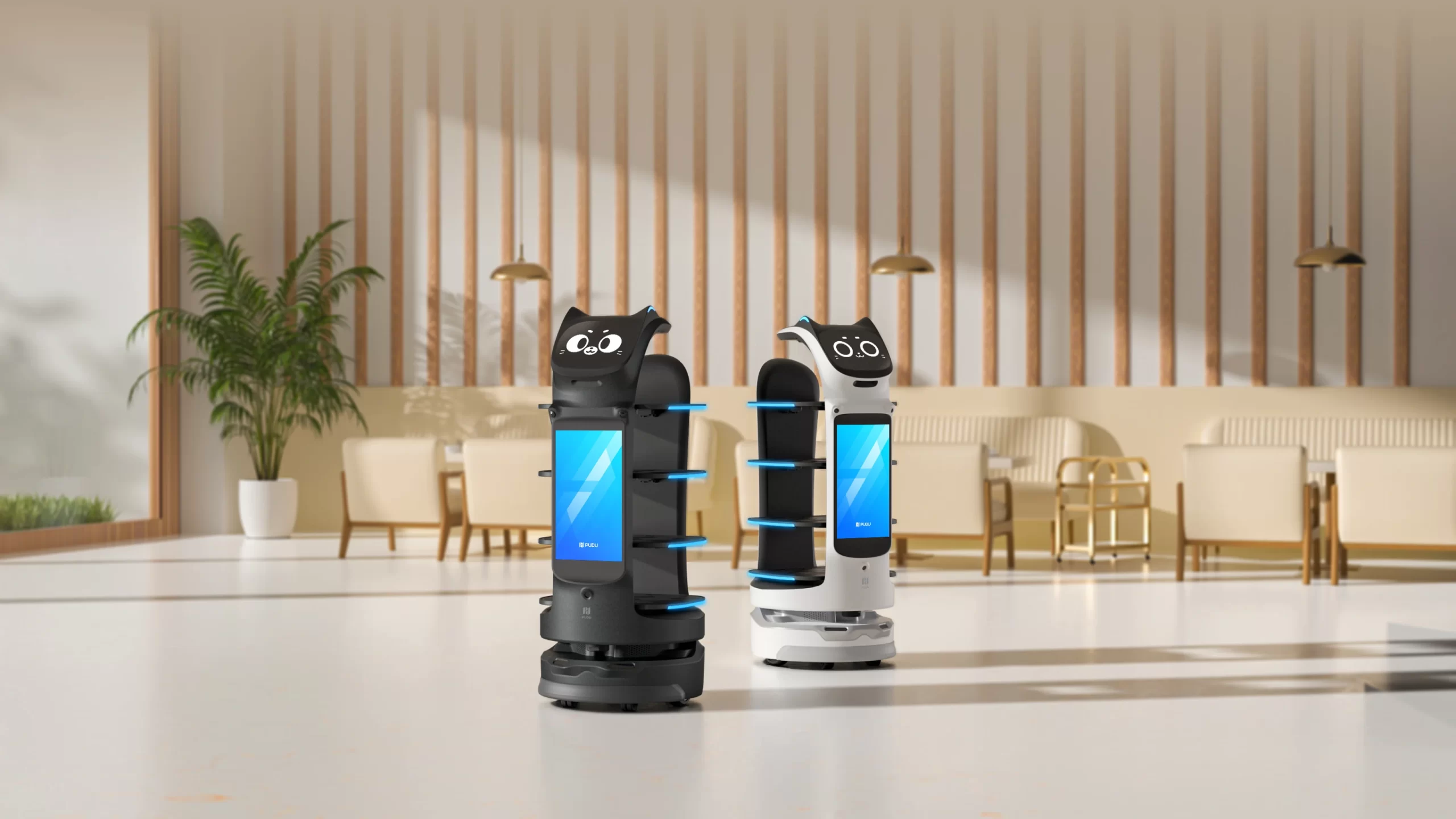
PUDU BellaBot Pro has an 18.5-inch advertising display and a separate 10.1-inch interaction screen. The advertising display can feature restaurant-branded content such as a seasonal menu, signature beverage or dining event. The trays let staff send prepared orders to designated delivery points. PUDU lists a tray size of 410 × 500 mm, with a maximum load of 10 kg per tray and 40 kg total.
In a luxury hotel, the screen might introduce afternoon tea near the restaurant entrance. During service, the floor team might use BellaBot Pro for bottled water and welcome drinks between the beverage counter and a side station. Those are two concrete jobs to include in a demo for your venue.
Meet PUDU BellaBot Pro: A Delivery and Advertising Robot for Restaurants
PUDU BellaBot Pro is an indoor service robot with two practical roles in a restaurant. Its 18.5-inch advertising display can showcase the venue’s own promotions, while its four trays carry prepared orders and service items between designated points. A separate 10.1-inch touchscreen lets staff select tasks and interact with the robot. In a premium hotel restaurant, for example, the display could introduce the Sunday brunch menu near the host station, while staff use the trays for welcome-drink runs during service.
What BellaBot Pro can do during a restaurant service
Staff select the mode that fits the task. Delivery Mode can serve multiple destinations on one trip by assigning trays to different stops. Guide and Birthday modes give the front-of-house team ways to use the robot at arrival or during a celebration. PUDU documents five operating modes.
| Mode | How a restaurant could use it |
|---|---|
| Delivery | Carry drinks, dishes or service items from the bar or kitchen to assigned tables or service stations. |
| Recycle | Help staff return used dishes and trays to a designated clearing point after service. |
| Cruise | Follow a configured route through a guest area, giving diners a chance to notice a featured offering. |
| Guide | Lead arriving guests from the reception point to an assigned table or destination. |
| Birthday | Bring a cake or celebration item to a table as part of a planned service moment. |
How the screen, trays and navigation work together
The advertising screen gives the restaurant a place to show its logo, signature drinks, tasting menus or private dining offers. Bring a sample creative to the demo and check its readability under your venue’s lighting. Ask the supplier to show how staff upload and change content on the proposed unit.
The delivery trays measure 410 × 500 mm each, with a published maximum of 10 kg per tray and 40 kg total. Tray lighting helps indicate which tray to unload. For beverage service, the bar team can test its actual glassware, fill levels and tray arrangement on the planned route. In fine dining, a designated handoff station lets the server collect the drinks, introduce them and finish the presentation at the table.
BellaBot Pro uses visual navigation, marker navigation and LiDAR to move through configured indoor routes. PUDU lists an adjustable cruise speed of 0.2–1.2 m/s, a published path clearance of 65 cm, and a body measuring 570 × 550 × 1,290 mm. The robot weighs 55 kg. PUDU lists 11 hours of runtime without a load and approximately 4.5 hours of charging time. For a restaurant trial, measure the route with chairs pulled out and staff moving between tables so you can judge how the robot fits into live service.
The cat-inspired design also supports greeting, voice, touch and lighting interactions. A restaurant can use these for a welcome or celebration where they suit the atmosphere. PUDU also lists gate passage, pager and watch calling, and PUDU Link management among its integration options. Ask which options are relevant to your layout and included in the proposed configuration. PUDU currently lists automated dish recognition and announcements as features under development.
How BellaBot Pro Fits Into a Premium Dining Experience
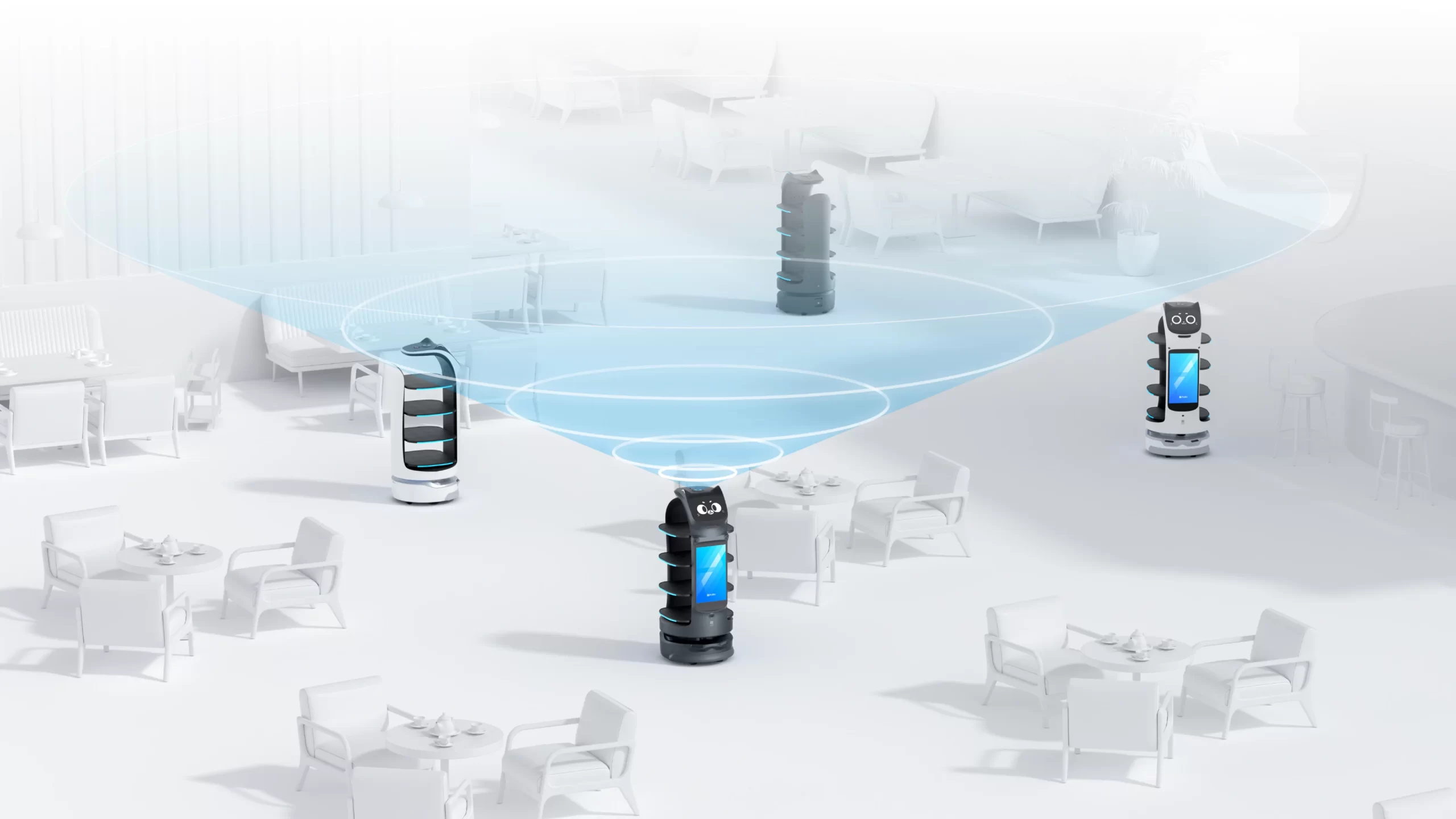
The right moment to feature BellaBot Pro depends on how guests move through the restaurant. At a busy mall-facing entrance, guests may have time to notice one strong image while they wait. In an intimate dining room, a brief appearance at a service station can suit the atmosphere better. A venue can plan the robot’s role around the same decisions it already makes about lighting, music and the pace of service.
Consider a chef-led restaurant in Bengaluru. At arrival, BellaBot Pro could feature the evening’s tasting menu at a designated spot near the host station. Once guests are seated, staff could dispatch it on a short route from the bar to a side station. The server then brings the beverage to the table, introduces its ingredients and handles any final garnish or pour.
For a restaurant in a prime location, the robot can also be a visible point of interest. Give guests enough space to pause or take a photo without crowding the host desk or blocking servers. During the demo, stand where guests actually wait and sit. Check whether the screen is readable, how close the robot passes to chairs, and how its movement and sound fit the room.
What Can You Advertise on BellaBot Pro’s Screen?
Start with one offering guests can act on. A striking photograph of a jamun and lime spritz, its name and a short invitation to ask the server can be enough. A private dining campaign needs a different message. Show the room, say what occasions it suits and tell guests whom to ask about availability.
Think about where the guest will see the promotion and what they can do at that moment. A brunch invitation makes sense near the host station, where someone can answer a booking question. A beverage pairing belongs where seated guests can see it while deciding what to order.
Before buying a restaurant robot with an advertising screen, ask the supplier to load one of your own creatives during the demo. Have your marketing team check the supported file formats, how offers are updated, and what playback and scheduling controls are available on the proposed configuration. Agree on who changes the creative when a featured item sells out or an event ends.
| Venue scenario | What to show | Guest action |
|---|---|---|
| Mumbai luxury mall restaurant | Signature mocktail with a clear image and name | Ask the host about the drinks menu |
| Delhi hotel restaurant | Sunday brunch dates and a preview of the menu | Enquire about a reservation |
| Bengaluru fine-dining restaurant | A seasonal non-alcoholic pairing | Ask the server about the pairing |
| Pune private dining venue | A photo of the private room and an occasion it suits | Request event details from the host |
How BellaBot Pro Can Support Beverage Delivery in Fine Dining
A practical first route for a beverage delivery robot for restaurants is bar → service station → server → guest. The bartender prepares and checks the order, a team member dispatches the robot, and the server collects the drinks at a designated point. The server can still present the glass, explain the pairing or complete a tableside pour.
Imagine a Pune restaurant hosting a 30-guest private dinner. The bar prepares welcome mocktails in batches, and BellaBot Pro carries each batch to a side station close to the dining room. Servers can receive drinks there while remaining available to arriving guests. The manager can test whether the arrangement reduces back-and-forth trips during the busiest part of the event.
Start with a repeatable load such as bottled water or a consistent set of welcome drinks. Then test more demanding orders with the venue’s actual glasses, usual fill levels and planned tray arrangement. Watch what happens at turns, thresholds, stops and unloading. A payload rating tells you how much the tray is rated to carry. A loaded route trial tells you whether that particular beverage setup is suitable for service.
Which Premium Restaurant Settings Are a Good Fit?
A restaurant advertising robot in India can serve different purposes depending on the layout and the way the venue earns business. A prime location gives the screen a chance to be seen. A recurring delivery route gives the operations team a reason to use the robot throughout service.
- Luxury hotel restaurant: Feature afternoon tea or Sunday brunch at the restaurant entrance. Test welcome drinks or bottled water from the beverage counter to a service station.
- Premium mall restaurant: Show a signature item or seasonal menu within the venue’s approved frontage. Test an internal bar-to-floor route during a busy period, when the host queue and dining aisles reflect actual conditions.
- Fine-dining restaurant: Introduce a tasting menu or non-alcoholic pairing near the host station. Use a designated handoff point so servers can control presentation and pacing.
- Destination lounge or private dining venue: Feature a themed evening or private booking experience near reception. Test batch beverage runs from the bar to a side station serving the event.
For each setting, look for one place where guests can comfortably read the display and one journey the floor team repeats often enough to measure. Assess both under the conditions in which you plan to use them.
What Should Restaurant Owners Check Before Buying?
Ask for a demo that includes your branding, your glassware and your busiest service route. A hotel F&B director should be able to judge the quality of the presentation. A floor manager should be able to tell whether the handoff is easy for staff and whether the route stays usable once guests are seated.
- Screen and content control: Load your actual artwork. Check text size and reflections from the host queue or seating area. Ask who can update content, how updates reach the unit and which playback controls are available.
- Layout during service: Measure the route with chairs pulled out and service stations in use. Include turns, thresholds, waiting areas and a practical charging location. PUDU publishes a 65 cm path-clearance figure for BellaBot Pro. Assess the working route in your own layout during the demo. PUDU BellaBot Pro product specifications
- Staff handoff: Identify who loads, dispatches, receives and clears the trays. Check how staff respond if a service point is occupied or a route is temporarily blocked.
- Commercial scope: Ask which items the India proposal includes, such as site assessment, mapping, training and after-sales support. Confirm who handles campaign setup and ongoing content updates.
How to Measure Advertising Response and Beverage Service
Run a pilot around one promotion and one delivery route. For instance, a Delhi hotel restaurant could feature its Sunday brunch near the host station and test welcome-drink runs from the beverage counter. Compare similar services, record the number of covers and note changes in pricing, menu or other promotions that could affect the results.
| What to measure | How to record it |
|---|---|
| Campaign response | Use a dedicated QR destination where practical, or log enquiries that guests say came from the screen. |
| Featured drink orders | Compare POS orders per 100 covers across comparable services. |
| Beverage delivery performance | Record completed runs, runs requiring intervention, delays and spills. |
| Active staff time | Compare manual running time with the staff time spent loading, dispatching, receiving and handling exceptions. |
For an illustrative calculation, if a manual run takes three active staff minutes and the robot-assisted workflow takes 1.5, then 40 comparable runs release 60 staff minutes during that service. This is an example of how to measure staff capacity. The restaurant can use its own trial to see whether those minutes help the team stay available for seating, menu recommendations or tableside presentation.
Review campaign and service results separately. A scan shows interest, a confirmed booking shows conversion, and a completed delivery shows that the service route worked. Together, these measures help the owner decide which promotions and routes are worth using again.
Frequently Asked Questions About Restaurant Advertising Robots
Can BellaBot Pro display my restaurant’s logo, menu or promotions?
Yes. Its dedicated 18.5-inch advertising display can feature restaurant-branded content, such as a signature drink, seasonal menu or private dining campaign. Bring a sample creative to the demo so your team can check how it looks and confirm the upload process and playback controls. PUDU BellaBot Pro product information
Can we change what the screen shows between services?
Ask the supplier to demonstrate how staff can switch from a lunch or brunch promotion to an evening campaign on the proposed unit. Confirm the supported formats, who can make updates and whether scheduled playback is available in that configuration.
Can BellaBot Pro carry drinks in our own glassware?
Test the actual glasses, fill levels and tray arrangement on your planned route. A run with bottled water and a run with tall, filled glasses can behave differently at turns and stops. Have the bar and floor teams observe the full handoff before choosing which drinks to include in routine service.
How can we use a delivery robot while keeping the fine-dining experience personal?
Use a designated service station as the handoff point. BellaBot Pro carries the order from the bar, and the server brings it to the table, introduces the drink and handles any final garnish or pour. You can also reserve guest-facing promotions for the host area, where guests have time to look while waiting.
What should an India quote for BellaBot Pro include?
Ask for an itemised proposal that identifies the robot configuration, route mapping, installation, staff training, warranty and ongoing service options. If you want help preparing or loading promotional artwork, confirm whether that work is included.
See How BellaBot Pro Would Work in Your Restaurant
Start with an offering you want more guests to discover and a beverage route your team walks repeatedly. That might be a signature mocktail promoted near the entrance and a welcome-drink run from the bar to a side station. Testing both gives your marketing and service teams a shared basis for deciding whether a restaurant advertising robot suits the venue.
Request a BellaBot Pro demo from Autofina Robotics. Bring one branded creative, one representative beverage order and a floor plan so the demo can reflect how your restaurant actually operates.